How to restore an earlier version of a simulation
Last updated: November 20, 2026
If a change made a simulation worse, you can put it back the way it was. Restoring does not delete anything: it saves the earlier content as a new version, and everything in between stays in the history.
Restore a version
Open the simulation in the editor and select Version history.
Point at the version you want and select Restore. You can also open the version and select Restore version 1, with that version's number.
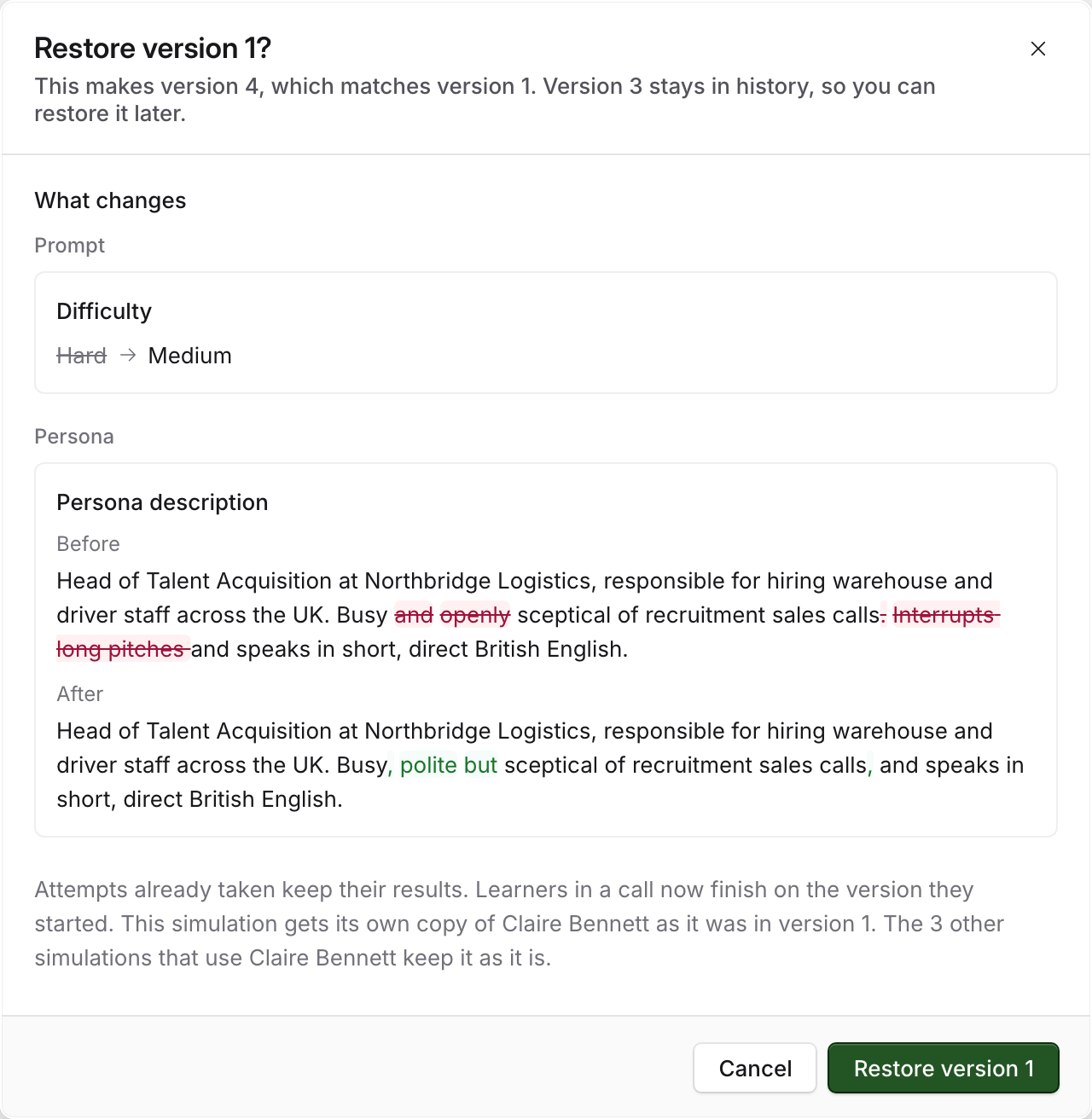
Read the confirmation. What changes lists exactly what the restore will save, compared with the current version. Nothing outside that list changes.
Select Restore version 1.
A message confirms it, for example Version 1 restored as version 4, and the editor reloads on the restored content. The history records it as Restored version 1.
To take it back, select Undo in that message. Undo saves another version matching what you had before. It only works while nobody else has saved the simulation since your restore. After that, restore the version you want from the history instead.
You cannot restore the version that is already current, and Restore is unavailable while Roadie is still answering in the chat.
When the persona is shared
A restore only changes the simulation you are in. If the version you are restoring had different persona settings, and other simulations use that persona, this simulation gets its own copy of the persona as it was. The confirmation tells you, and the copy appears in your persona library with the version in its name, such as Claire Bennett (version 1). The other simulations keep the persona as it is.
If no other simulation uses the persona, the persona itself goes back.
Parts that cannot go back
Some things stay as they are now, whatever version you restore. The confirmation shows Some parts can't go back and lists them.
Part | Why it stays as it is |
|---|---|
Scorecard | Learners have already attempted the simulation, so its scorecard is locked. Or the scorecard version it used has been deleted. |
Learner role | The learner role it used has been deleted. |
System sims | A system simulation it used is no longer published. |
Process | A process it used is no longer live. |
A few versions cannot be restored at all, and the confirmation says why. The most common is a version saved in the classic editor. A version with a different simulation type cannot be restored once learners have attempted it.
What a restore means for learners
Attempts already finished keep their results. A restore does not rescore them.
An attempt in progress carries on with the version it started on, including its persona and its scoring. Someone in a call when you restore finishes on the version they began with.
New attempts start on the restored version.
An open hiring assessment is not tied to one version, so a candidate who starts after you restore gets the restored simulation. If an assessment with candidate attempts uses this simulation, the editor warns you before you save.
Related articles
If you have any further questions, contact the Solidroad team via the Help tab in the platform.