How to build and manage personas
Last updated: September 14, 2026
Personas are the AI customers your learners practise on inside a simulation. This guide covers building a persona by hand, generating one with AI, and editing or deleting an existing one.
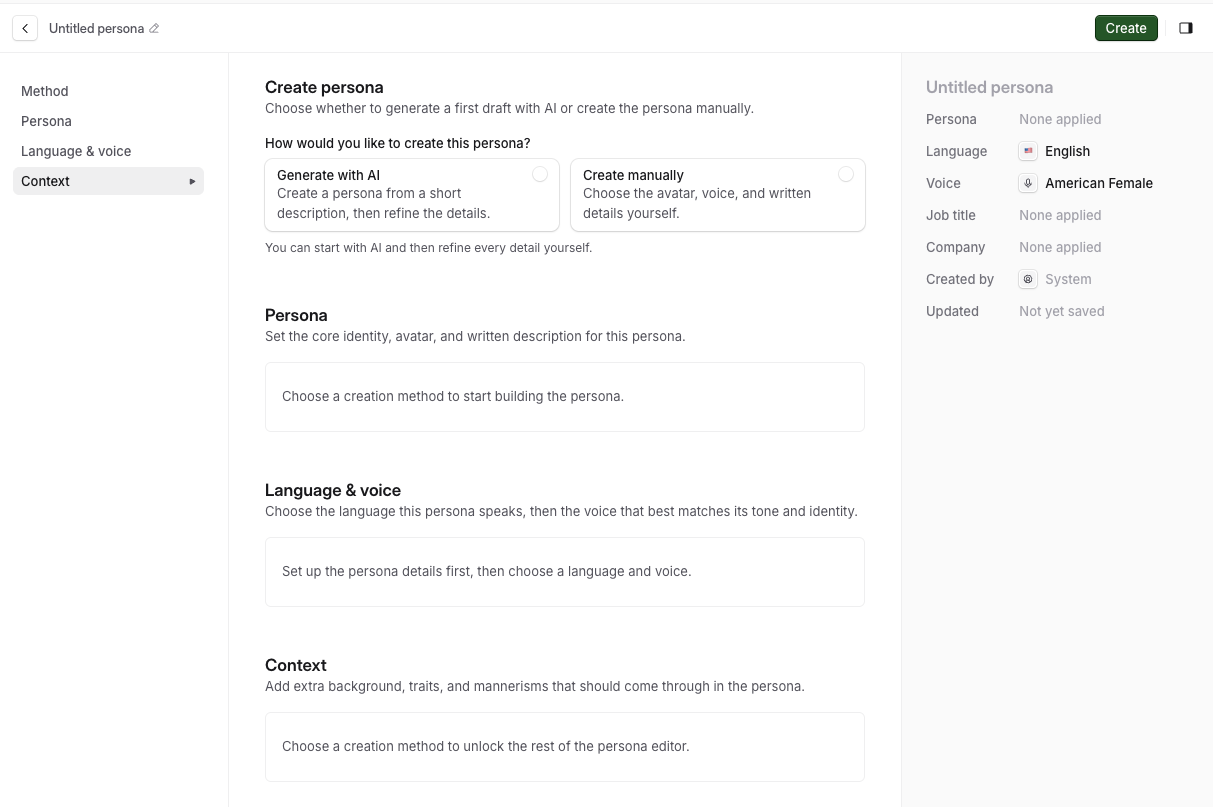
Step 1: Open the persona builder
Go to Resources, then Personas. This shows every persona already in your workspace.
Click Create in the upper-right corner.
Choose Generate manually or Generate with AI. For your first few personas, build manually so you understand each field, then switch to AI generation once you have a clear idea of the workflow.
Step 2: Fill in the persona details (manual)
Avatar - upload an image. A distinctive one (a well-known character type, a memorable face) makes the persona easier for learners to remember.
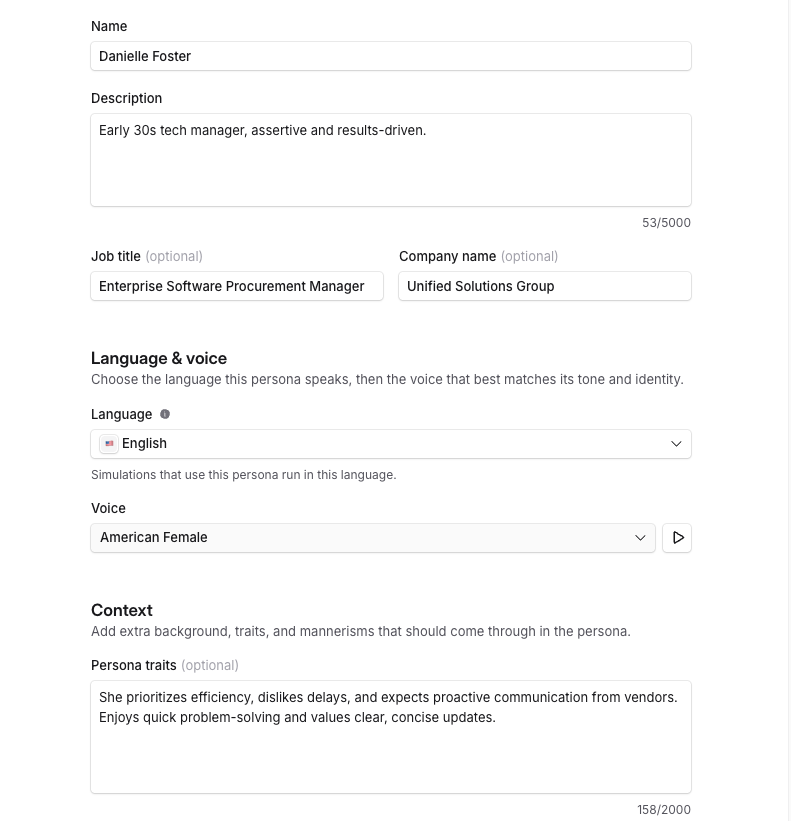
Name - the persona's name.
Description - who they are, what they care about, and why they choose your company.
Job Title and Company Name - optional. Leave blank for direct-to-consumer use cases, or fill in for B2B personas.
Language - select the language you wish the Persona to speak.
Voice - select one from the voice library.
Context - are they patient, kind, angry, hard to please? This is what gives the persona agency: the richer it is, the more realistic the edge cases the persona plays out, and the more the simulation lands with learners.
Click Create persona once the fields are filled in. It's added to your Personas list and can be selected when building a simulation.
Step 3: Generate the persona with AI
At the top of the Create Persona page, select Generate with AI.
Enter a short description in the Generation Prompt box, for example: "an impatient enterprise software buyer who has been waiting 3 weeks for a resolution."
Click Generate. Solidroad populates the name, description, job title, company, and traits from your prompt. Edit any of these before saving.
Step 4: Edit or delete a persona
To edit: go to Resources then Personas, click the persona, then click Edit persona. Make your changes and click Update to save.
To delete: click the persona from the list, then click the trash can icon. Deleting a persona is permanent, there's no way to restore it, so check it isn't still attached to a simulation you need before removing it.
Related articles
If you have any further questions, contact the Solidroad team via the Help tab in the platform.