Interaction types and which one to choose
Last updated: October 28, 2026
The interaction type sets who the learner talks to, who speaks first and how the attempt is scored. Choose it first, because you cannot change it after the simulation is created. There are six: Roleplay, Knowledge check, Coaching, Walkthrough, Expert Q&A and Interview.There are six types of interactions: Roleplay, Knowledge check, Coaching, Walkthrough, Expert Q&A and Interview.
Compare the types
Type | Use it when the learner must… | The learner talks to | Who speaks first | How it is scored | Channels |
|---|---|---|---|---|---|
Roleplay | handle a live conversation with a character, such as a prospect | A character you describe | The learner. You can give the AI an opening line instead. | With a scorecard. You must choose one. | Voice, Chat, Email, Video |
Knowledge check | answer questions from a bank, one at a time | A quizmaster | The AI | A mark for each question. No scorecard. | Voice, Chat, Email, Video |
Coaching | practise a skill with a coach, in phases | A coach | The AI | Not scored. The attempt shows as completed. | Voice, Chat, Email, Video |
Walkthrough | follow a process one step at a time | A guide | The AI | With a scorecard, if you add one in the editor. Otherwise not scored. | Voice, Chat, Email, Video |
Expert Q&A | ask questions to an expert who answers from your material | An expert | The learner. The AI has no opening line. | With a scorecard, if you add one in the editor. Otherwise not scored. | Voice, Chat, Email, Video |
Interview | answer an interviewer's questions, one at a time | An interviewer | The AI | With a scorecard. You must choose one. | Voice, Video |
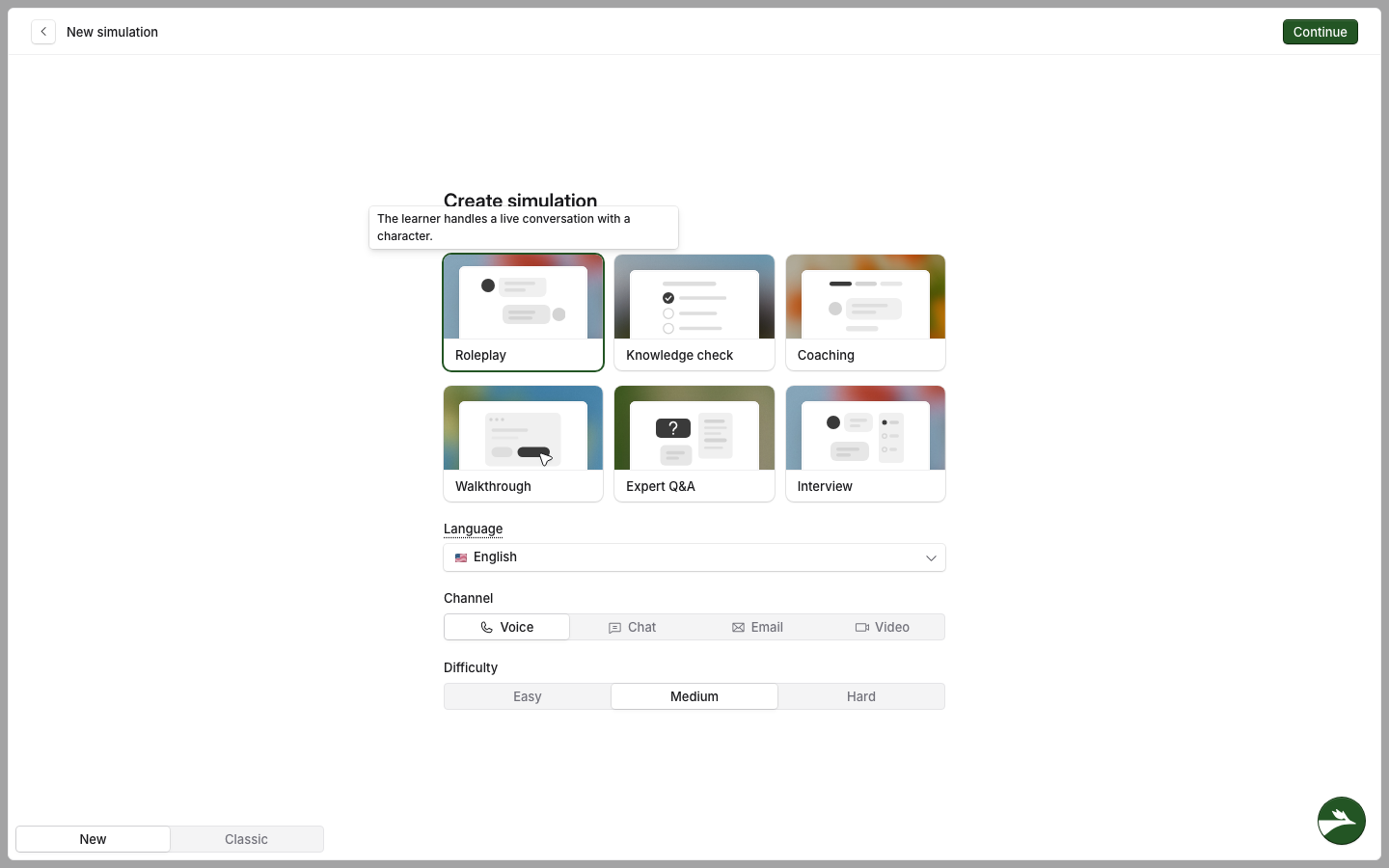
Only Roleplay has a difficulty (Easy, Medium or Hard). The difficulty sets how patient and open the character is.
Roleplay
The character has their own situation, mood and goal, and shares what they know only when the learner asks the right questions. A Roleplay character can lose patience and end the call, which no other type does.
In "Discovery call with a new hiring manager", a Talentbridge sales rep calls Claire Bennett, a busy and sceptical Head of Talent Acquisition who already uses LinkedIn Recruiter.
Knowledge check
The quizmaster asks each question in turn and does not give the answers away during the attempt.
In "Job-ad packages and pricing", it checks that the rep knows each job-ad package, its price and who it suits.
Coaching
The coach moves through phases, for example warm-up, practice and reflection, and gives feedback during the attempt rather than after it.
In "Coaching: run a better discovery call", Priya Shah helps the rep ask better discovery questions.
Walkthrough
The guide follows the steps in order and checks each one before it moves on, giving feedback as it goes.
In "Log an opportunity in the CRM", it takes the rep through each field of a new opportunity.
Expert Q&A
The expert answers from the reference material you give it. If the material does not hold the answer, it says it does not know rather than guessing.
In "Ask a senior account executive", the rep asks how to price a contract staffing deal, and the expert answers from your pricing guide.
Interview
The interviewer opens the call, works through its questions and stays polite and neutral. The learner cannot pause an interview and come back to it later.
In "Account executive interview", the interviewer asks a candidate for an account executive role about their pipeline, their targets and a deal they lost.
What else the type changes
Choosing Interview takes Chat and Email away. If you had already picked one of them, the channel changes to Voice.
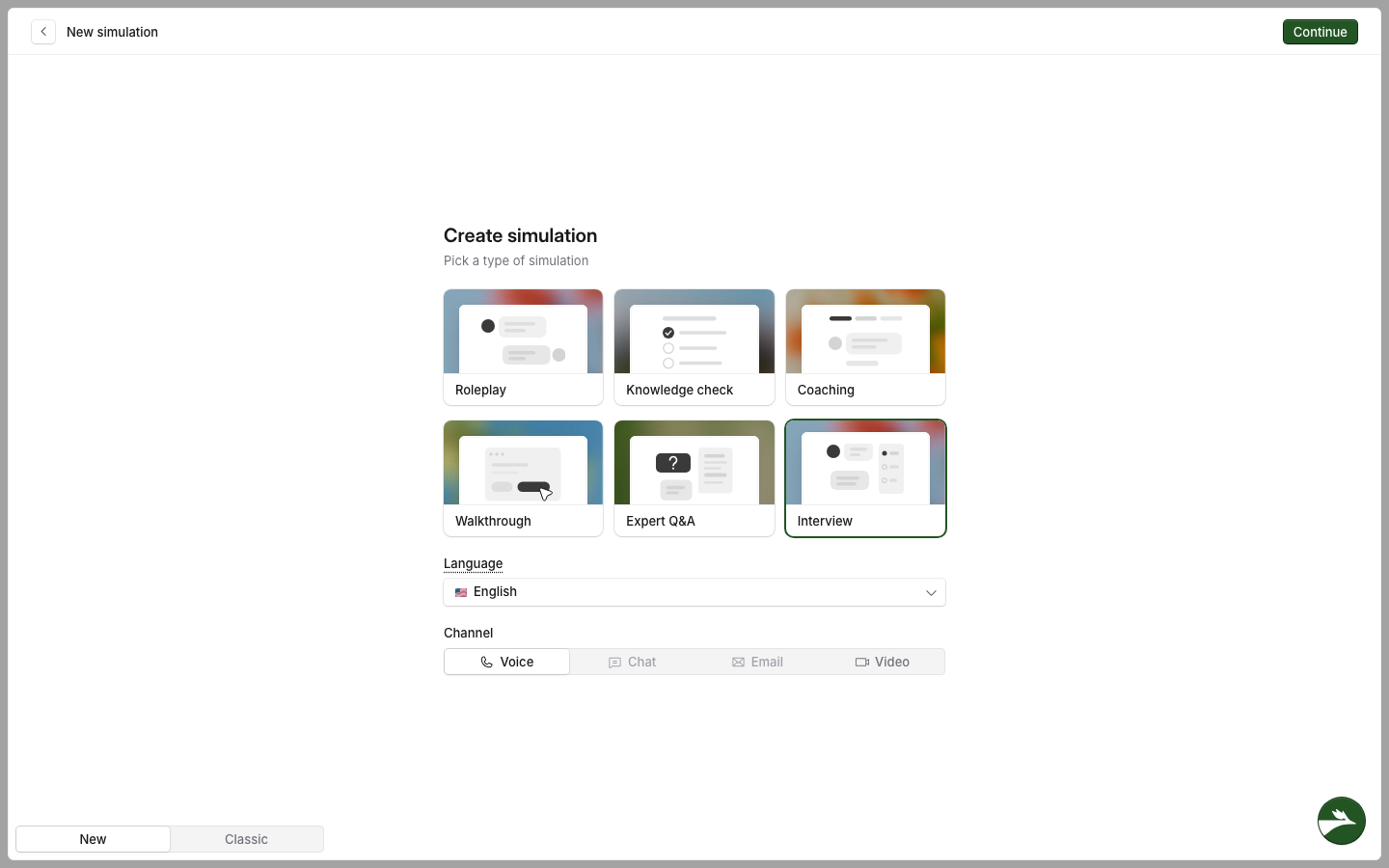
For a Knowledge check, Walkthrough or Expert Q&A, Roadie asks you for source material while it builds the simulation. If your description already contains the material, Roadie does not ask.
You can change how any type behaves by default in the editor. See The simulation editor.
You can add any simulation to a hiring assessment, including an Interview.
Related articles
The new way to create simulations
How to create a simulation with Roadie
Scoring for each simulation type
If you have any further questions, contact the Solidroad team via the Help tab in the platform.