What the AI knows and what the learner is told
Last updated: October 28, 2026
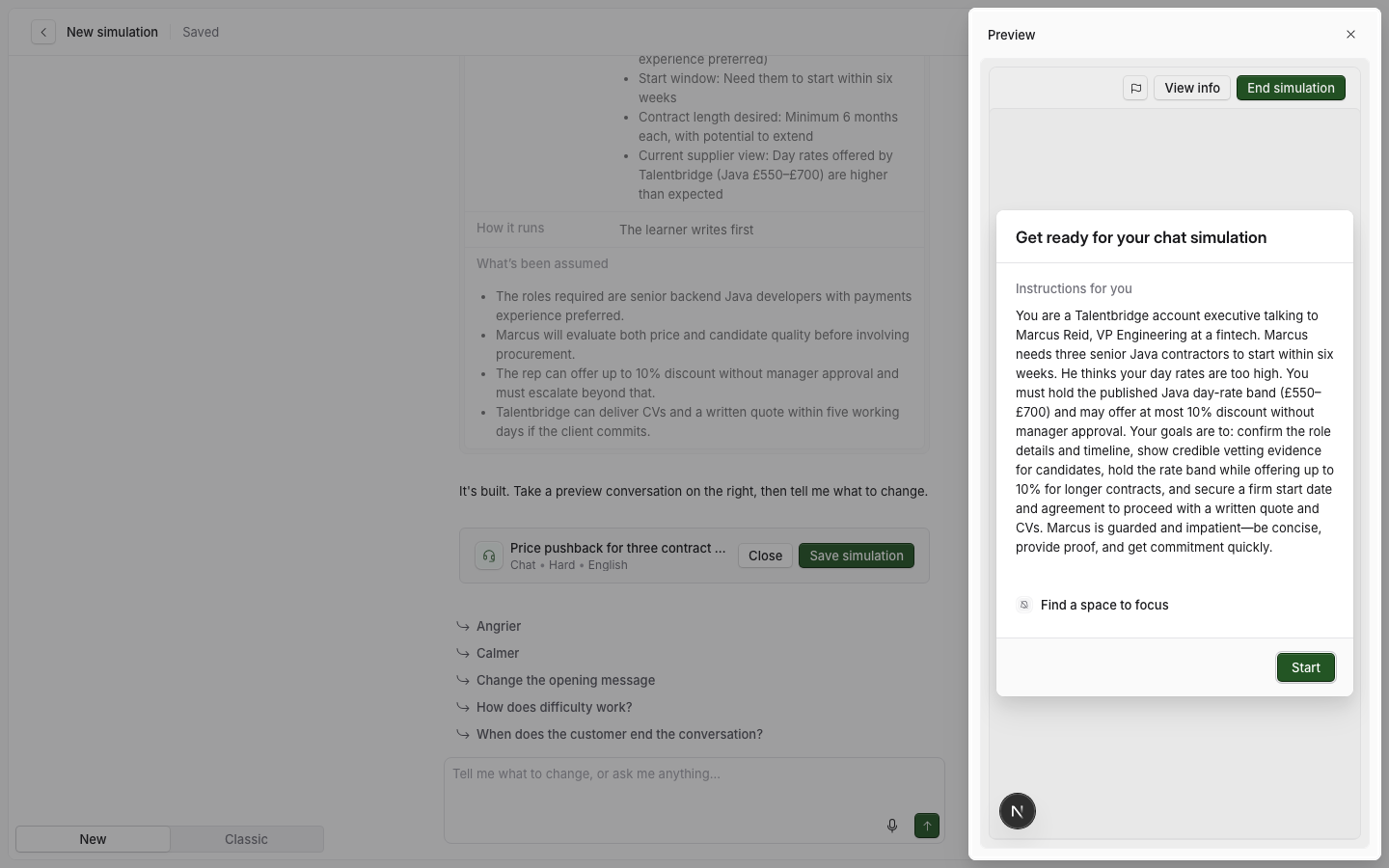
A simulation holds two sets of text for two different readers. Everything in What the AI knows goes to the AI persona, and Learner instructions go to the learner. Neither reader ever sees the other's text.
Two audiences
The most common mistake is to put a learner instruction in the AI's text, or the reverse.
What the AI knows | Learner instructions | |
|---|---|---|
Who reads it | The AI persona | The learner |
Where it is in the editor | What the AI knows | What the learner does |
Written as | To the persona, as "you" | To the learner |
Example | "You are calling because Claire needs to fill a steady stream of warehouse and driver roles. She already uses LinkedIn Recruiter." | "You will call Claire Bennett. Discover her hiring pain points, qualify budget and timeline, and agree a next step." |
People who can manage the simulation can also read the AI's text during an attempt, in the information panel under AI instructions. Learners cannot.
What the AI knows
The editor shows only the settings your simulation type uses.
Setting | Roleplay | Knowledge check | Coaching | Walkthrough | Expert Q&A | Interview |
|---|---|---|---|---|---|---|
Instructions for the AI | Required | Required | Required | Required | Required | Required |
Facts | Required | No | Optional | Optional | Required | Optional |
Questions | No | Required | No | No | No | Required |
Reference material | No | No | Optional | Optional | Required | No |
AI won't answer | No | No | No | No | Optional | No |
Date in the scenario | Optional | No | No | No | Optional | No |
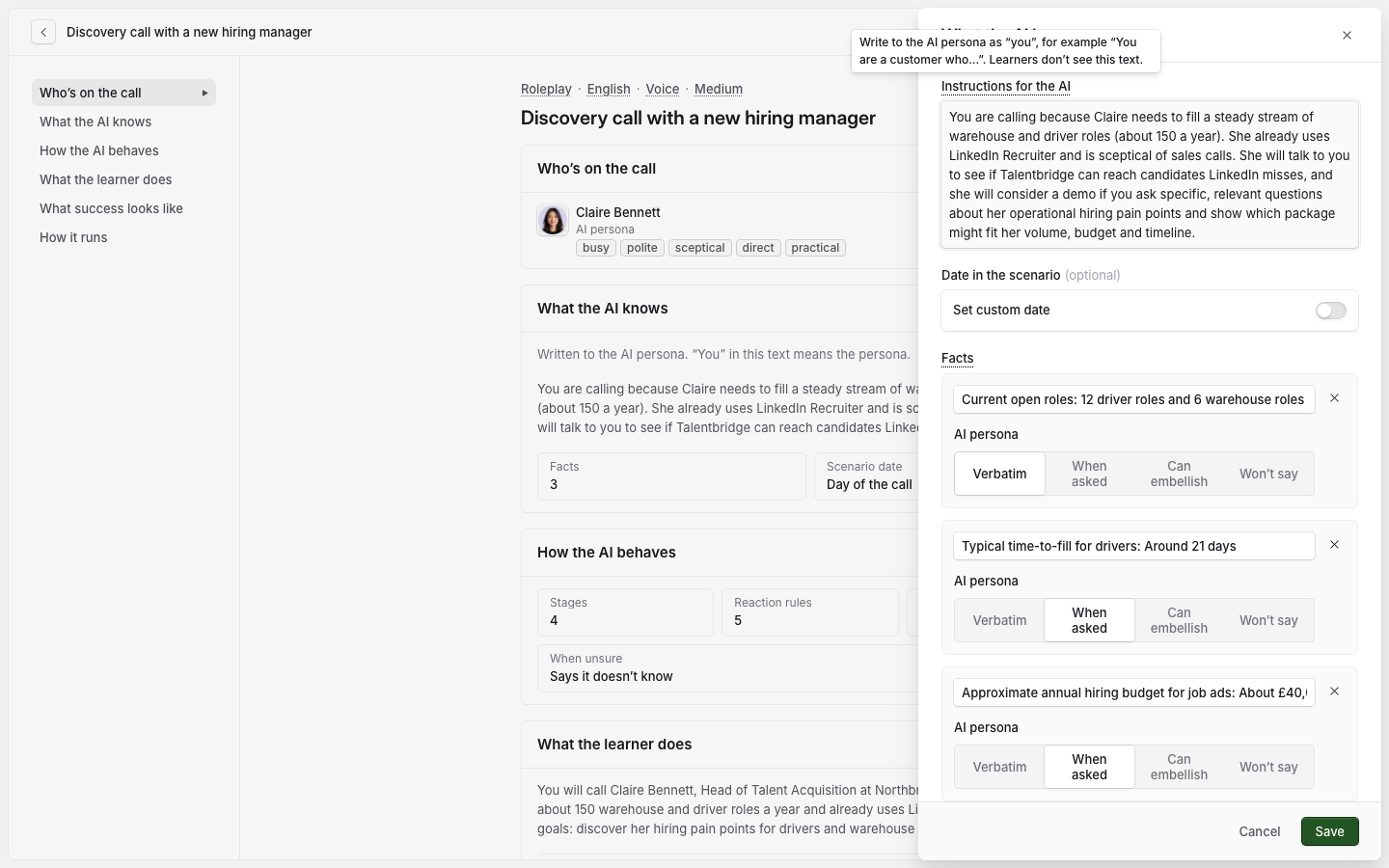
Instructions for the AI
The scenario, written to the persona as "you". The tip on the label says: "Write to the AI persona as "you", for example "You are a customer who…". Learners don't see this text."
For example: "You are Marcus Reid, VP Engineering at Fernway Pay. You need three contract Java developers in six weeks. You think day rates are too high."
Facts
Facts are true in this simulation only. Facts that are true wherever the persona appears belong on the persona instead. See Persona settings.
To add a fact:
Select Add fact.
Write the fact, for example "Approximate annual hiring budget for job ads: About £40,000 a year."
Under the fact, choose how the AI uses it.
Option | What the AI does |
|---|---|
Verbatim | States the fact exactly as written, and does not paraphrase it. This is the default for a new fact. |
When asked | Gives the fact only when the learner asks for it directly. |
Can embellish | Can make up details in this area, and keeps them consistent. |
Won't say | Does not tell the fact, whatever the learner asks. |
When Roadie creates a new persona for a simulation, the simulation's facts stay on the simulation. They do not become part of the persona.
Questions (Knowledge check and Interview)
The questions the AI asks the learner, in order.
Select Add question.
In Question, write the question. You can use up to 1,000 characters.
In Answer, write the answer you expect. You can use up to 2,000 characters.
To change the order, drag a question by its handle, or select the handle and press the up or down arrow key.
The AI uses the answer to judge the learner's reply and to ask a follow-up question. It never reads the answer out and never confirms it. In "Job-ad packages and pricing", the question "What does the Growth package include and what is its annual price?" has the answer "50 job ads, a featured listing and CV database search for 2 users, for £9,500 a year."
Reference material (Coaching, Walkthrough and Expert Q&A)
Paste the text the AI must know, such as a price list or a sales playbook. In an Expert Q&A it is required and the AI answers from it. In Coaching and Walkthrough it is optional.
AI won't answer (Expert Q&A)
The topics the AI refuses, each added with Add topic. In "Ask a senior account executive", one is "Discounts above the standard price list". An Expert Q&A does not offer Won't say under Facts, because these topics go here instead.
Date in the scenario (Roleplay and Expert Q&A)
By default the AI uses today's date and time. Turn on Set custom date and choose a day and time to use another one. For example, set the date to a Monday in January, so the persona can talk about "this quarter's hiring plan".
Learner instructions
Learner instructions are in What the learner does, and they are required for every type. Write what the learner must do, and the facts they need to start. For example:
"You are a Talentbridge account executive talking to Marcus Reid. He needs three senior Java contractors within six weeks and thinks your day rates are too high. Hold the £550 to £700 band and offer at most 10% off."
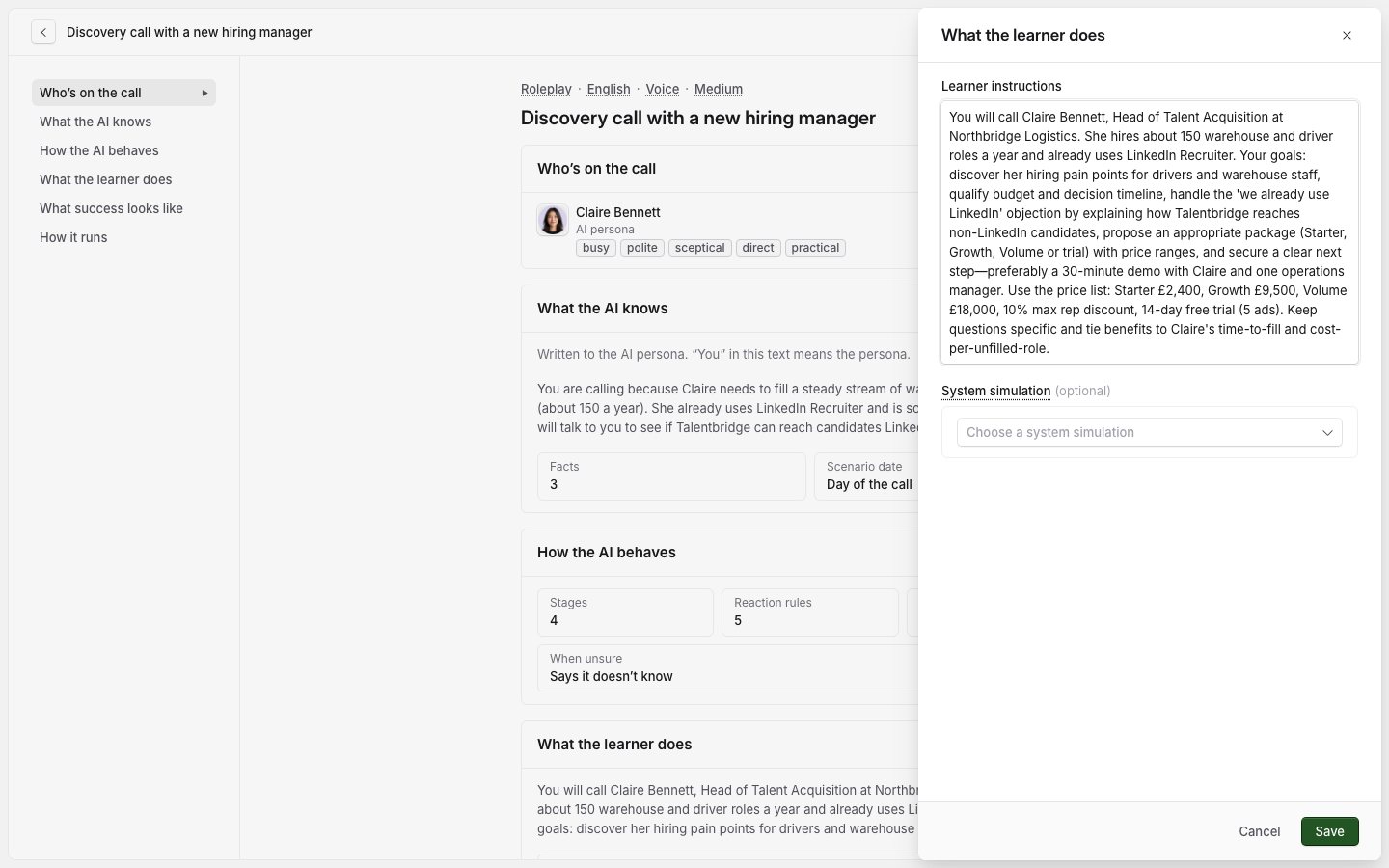
Learners see this text under Instructions for you before they start. If the AI also needs to know something you have written here, add it to What the AI knows as well.