Workspace settings: general
Last updated: September 15, 2026
The General tab under Settings is where you set your workspace’s identity and control what learners can see. Everything on this page applies to the whole workspace, not to individual users, groups or simulations. Use it when you first set up a workspace, or when you want to change what learners see after they complete a simulation.
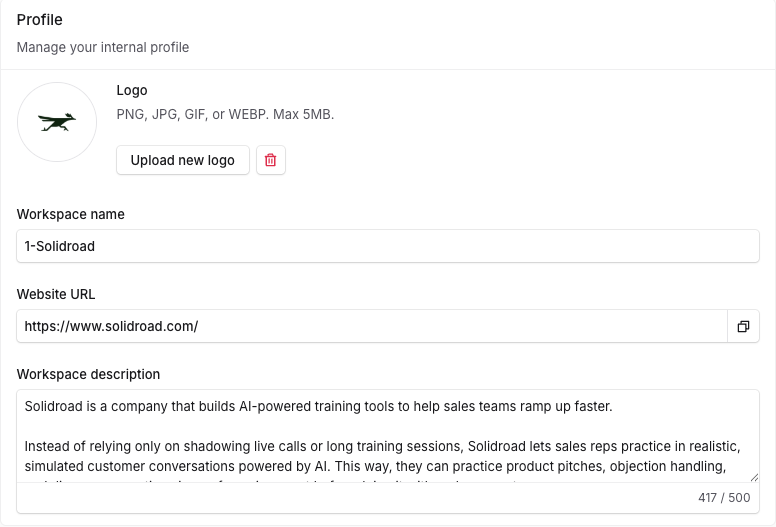
Profile
Your workspace's identity. This is what learners and agents see when they log in.
Field | What it does |
|---|---|
Logo | Your workspace logo. PNG, JPG, GIF or WEBP, up to 5MB. |
Workspace name | Name the workspace after the brand you are supporting, not after Solidroad. If you are a BPO, outsourcer or CX provider supporting another company’s customers, use that brand’s name. If you support your own product, use your own brand. |
Website URL (optional) | The site for the brand this workspace covers. Adds context about the organisation. |
Workspace description (optional) | A short description of what this workspace is for, up to 500 characters. Useful when several workspaces exist under one organisation. |
Preferences
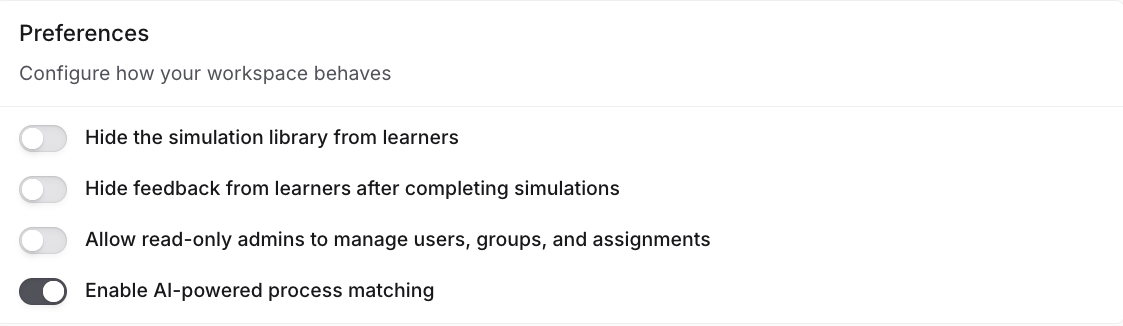
These toggles are off by default and only an Admin can change them. They apply to every learner in the workspace.
Toggle | What it does |
|---|---|
Hide the simulation library from learners | Learners only see what is assigned to them. This hides the whole library, not individual simulations. |
Hide feedback from learners after completing simulations | Learners take simulations but do not see their score or feedback. Use this sparingly, because someone has to close the loop with the learner manually. |
Allow read-only admins to manage users, groups, and assignments | Lets Admin (read only) users add users, manage groups and edit assignments without full Admin rights. See Roles and Permissions Explained for what each role can do. |
Enable AI-powered process matching | Turns on the Processes feature. Each evaluated conversation is matched to one of your processes and scored on how closely the agent followed it. Matching reads the process name and trigger phrases, not the steps inside, so name processes clearly. See How to create a process. |
Related articles
If you have any further questions, contact the Solidroad team via the Help tab in the platform.