My assignment expired. What do I do?
Last updated: September 17, 2026
Missed a due date? It happens, especially if you have been off. This covers what has happened to the assignment, who can reopen it for you, and what is worth doing in the meantime.
My assignment expired. Can I still complete it?
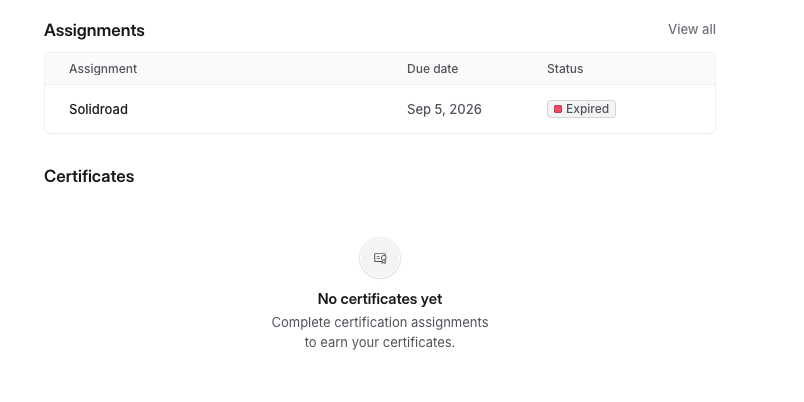
Not as it stands. When an assignment passes its due date it closes automatically, so you won't be able to open or submit it, even if you'd already made a start. Nothing you did caused this and no progress is lost on your side.
Can Solidroad reopen it for me?
We can't, unfortunately. Due dates belong to your own team, and we don't have the ability to change them from our end. If you message us we'll point you back to your admin, so you'll get there faster going straight to them.
Who do I ask?
Whoever assigned the training to you. That's usually your group lead, trainer, or a workspace admin. Not sure who that is? Ask whoever invited you to Solidroad, or your team lead.
What do I say to them?
Keep it short. Tell them which assignment it is and that the due date has passed, and ask if they can extend it. Once they do, log back in and it'll be waiting for you.
My assignment is showing as overdue but hasn't expired yet. What now?
You can still complete it. Overdue means the date has passed but the assignment is open, so finish it as soon as you can before it closes.
Related articles
If you have any further questions, contact the Solidroad team via the Help tab in the platform.