How to get help, report a bug or request a feature
Last updated: September 15, 2026
The Solidroad support chatbox is where you search the help articles, chat with the Solidroad team, or submit a bug report or feature request. Each option behaves differently, and two of them move the conversation to email. This article covers what each one does and where your reply will arrive.
Step 1: Open the support chatbox
Click Help in the bottom left corner. The chatbox opens with the four options below, and a Bookmarks section at the bottom linking to the Help Center.
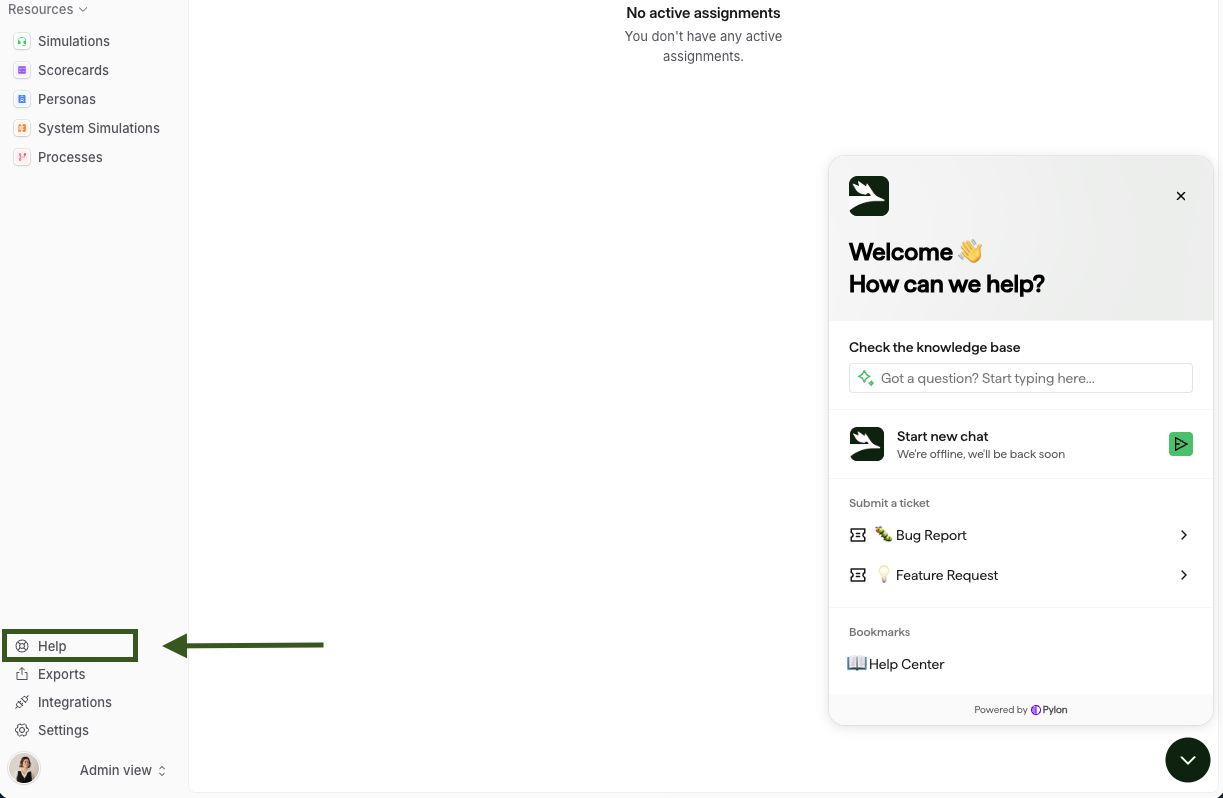
Step 2: Choose the option that matches what you need
Option | What it does |
|---|---|
Check the knowledge base | Searches the help articles from inside the chatbox. Nothing is sent to the Solidroad team and no ticket is created. |
Start new chat | Starts a live chat with the Solidroad team. The whole conversation stays in the chatbox. |
Bug Report | Opens a form under Submit a ticket for something that is broken. Submitting it creates a ticket and moves the conversation to email. |
Feature Request | Opens a form under Submit a ticket for a product idea. Submitting it creates a ticket and moves the conversation to email. |
Use Start new chat when you want an answer on a quick question. Use Bug Report or Feature Request when you want a record you can follow up on.
What happens after you submit a bug report or feature request
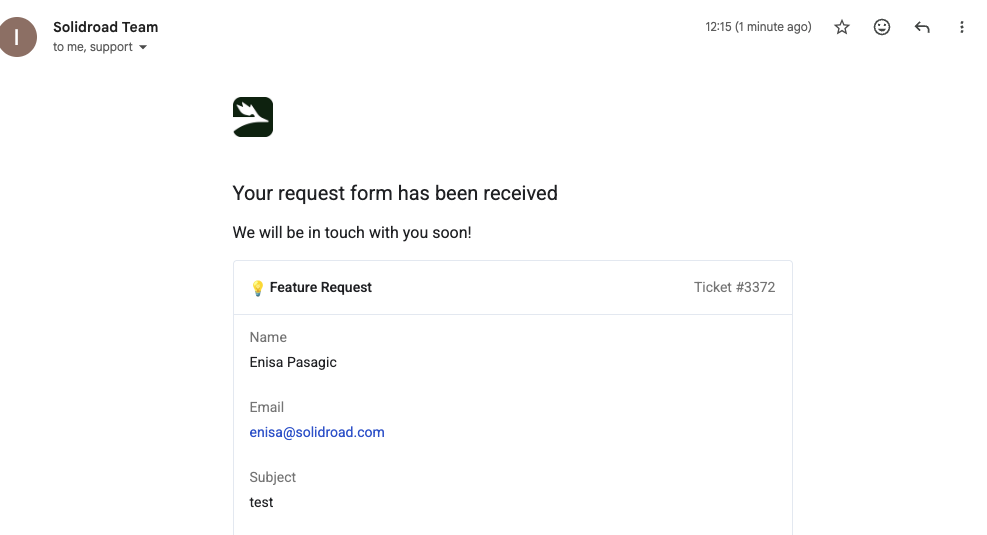
The chatbox confirms the submission and shows your ticket number, for example Issue #3356, and tells you "A copy of your response has been sent to your email." That email arrives with the subject line confirming "Your request form has been received" and lists the ticket number and the details you submitted.
From that point the Solidroad team replies by email, not in the chatbox, so check your inbox rather than waiting for a response in the chat window.
Related articles
Getting started with Solidroad: Onboarding guide for learners
Camera or microphone blocked in your browser (Chrome, Edge, Firefox, Safari)
If you have any further questions, contact the Solidroad team via the Help tab in the platform.