How to edit or delete an assignment
Last updated: September 14, 2026
This article shows you how to open an existing assignment to change its details or settings, or to delete it. It is for anyone who manages assignments in a Solidroad workspace. If you have not created an assignment yet, see How to create an assignment first.
1. Open the Assignments page
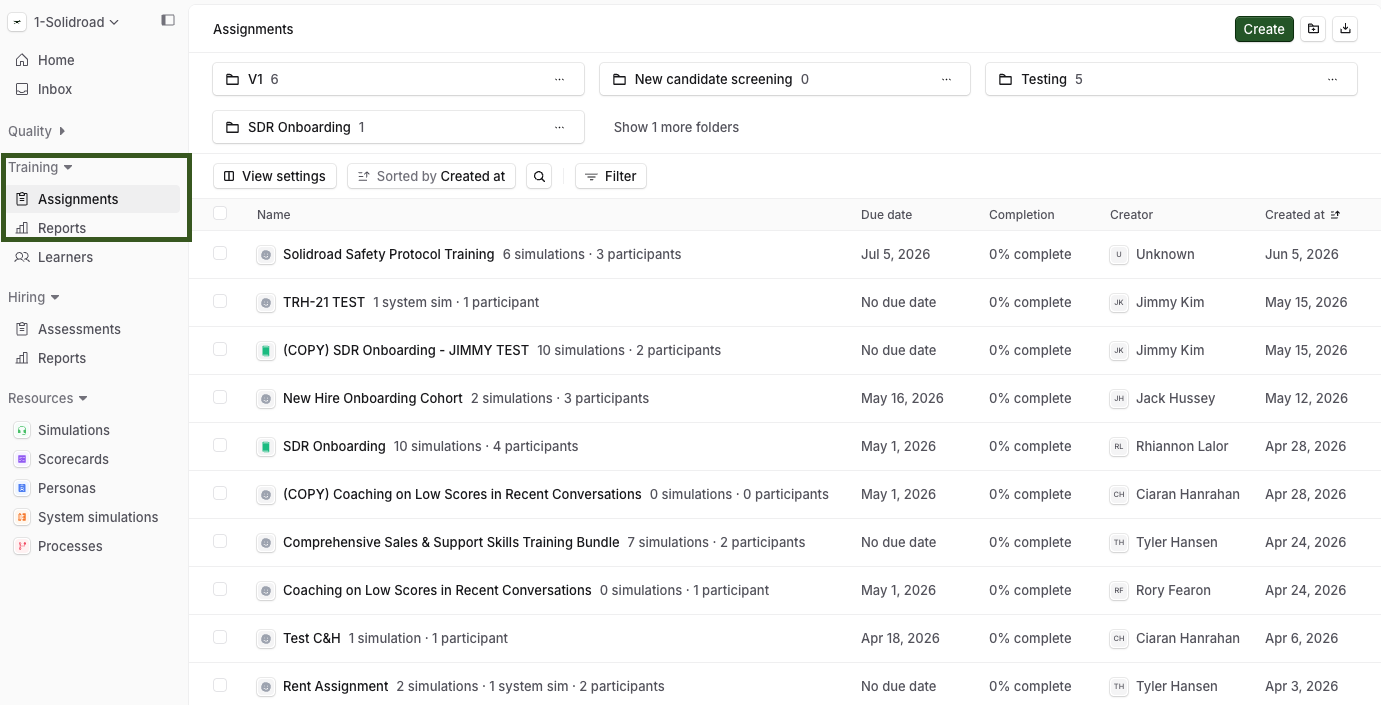
Click the Training tab, then the Assignments tab. The page lists every existing assignment.
2. Open the assignment
Click the assignment you want to change. Its detail page opens.
3. Edit or delete it
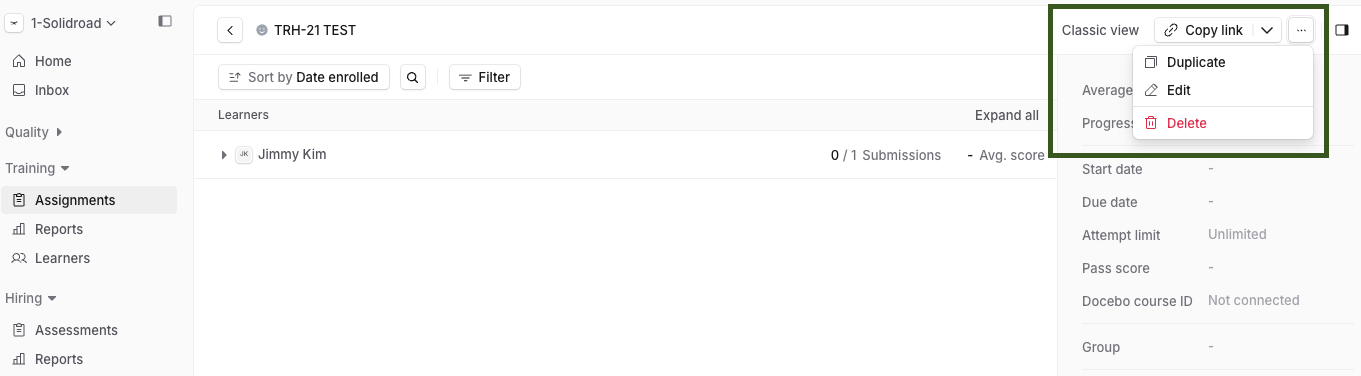
From the assignment detail page you can edit the assignment’s details, change its settings or delete it. For the settings you can change, see How to set advanced settings for an assignment.
Related Articles:
If you have any further questions, contact the Solidroad team via the Help tab in the platform.