How to export learner data
Last updated: November 12, 2026
Solidroad exports learner data as a file that arrives by email. You can export one assignment, every assignment at once, or the numbers behind a report. This covers all three, where the files end up, and what to do if you cannot export.
Export one assignment
Open the assignment.
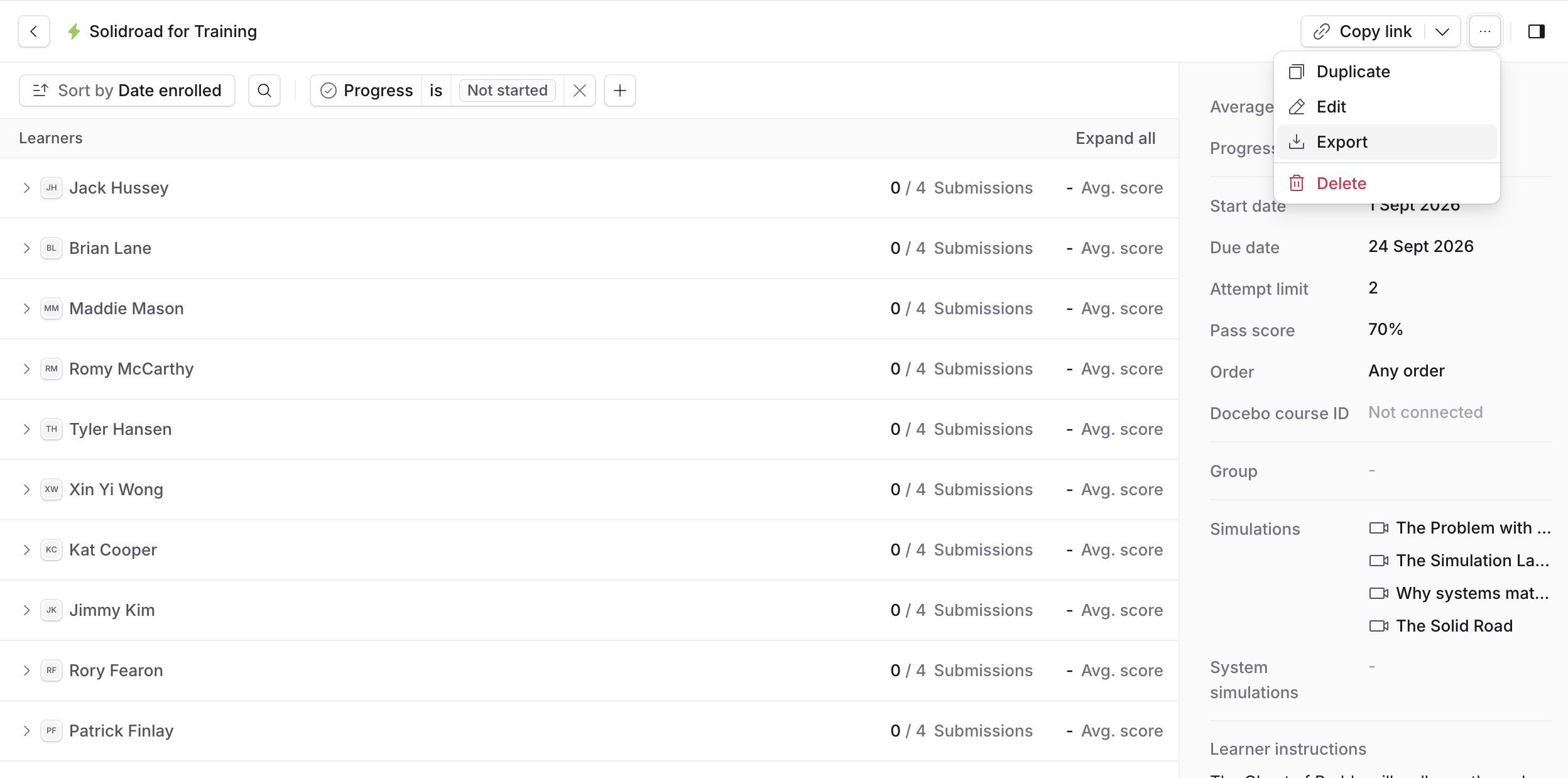
Set the filters you want. The export contains exactly the learners the page is showing, so filtering Progress to Not started gives you a chase list.
Select ... at the top of the page, then Export.
The columns are name, email, groups, status, attempts, best score and last activity.
Export every assignment
Go to Assignments.
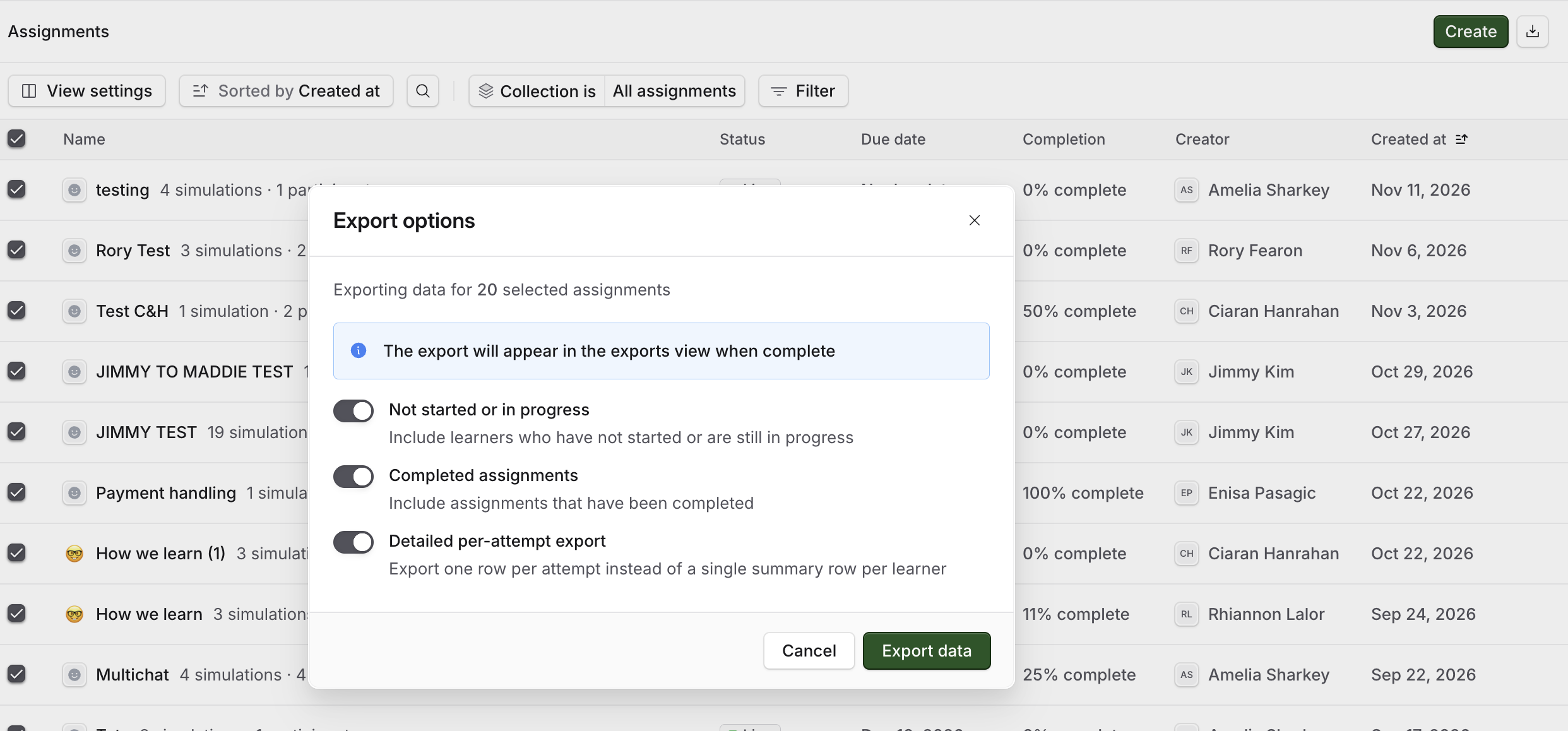
Select the export icon at the top right, beside Create. Export options opens, and a line at the top reads The export will appear in the exports view when complete.
Turn on what you want to include:
Not started or in progress includes learners who have not started or are still going.
Completed assignments includes assignments that have been completed.
Detailed per-attempt export gives one row per attempt instead of one summary row per learner. Learners who have not started are included, with the attempt columns left blank.
Select Export data.
Export the numbers behind a report
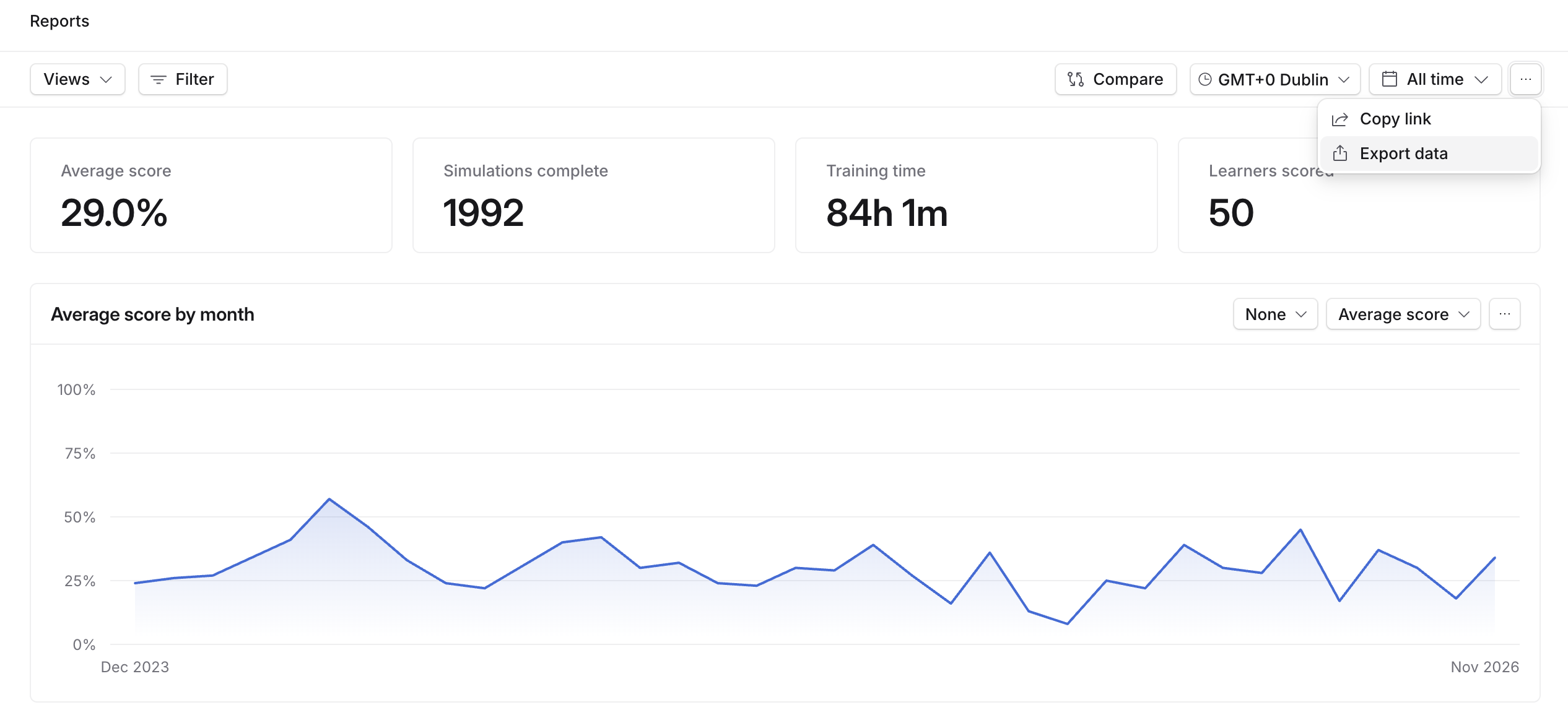
Go to Training → Reports.
Select the ... menu at the top right, then Export data.
Where the files go
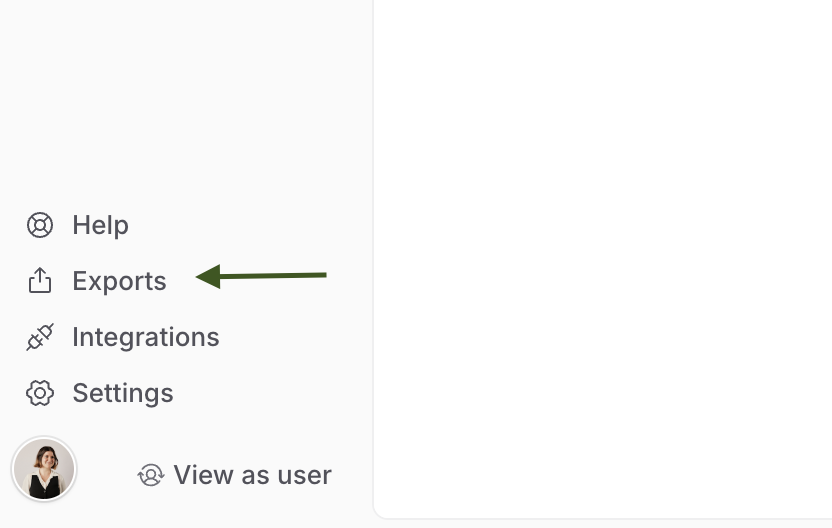
Every export arrives by email and appears in Exports in the left sidebar, which holds the files you have generated in the last 30 days. Before you have run one it reads No exports yet and Run an export from any report and it will show up here.
What an export contains
What an export contains depends on your role. You will see the learners your role lets you see on the page already, so two people exporting the same assignment can get different files depending on their roles.
If your role cannot export, Solidroad tells you Your role can't export this and to ask a workspace admin. On assessment reporting, the export control is turned off for those roles, with a tooltip saying why. See Default roles and permissions explained.
Related articles
If you have any further questions, contact the Solidroad team via the Help tab in the platform.