How to Change the Difficulty of a Simulation
Last updated: June 12, 2026
Who this is for: Solidroad admins and trainers editing existing simulations to adjust the difficulty level for their learners.
Before you start — here's a breakdown of how the difficulties work:
Difficulty | AI behaviour |
|---|---|
Easy | Friendly and cooperative — good for new starters and onboarding |
Medium | Neutral and measured — suited to reps with some experience |
Hard | Difficult and uncooperative — best for advanced or ongoing practice |
Difficulty is one of three levers you can use to control how challenging a simulation feels. The other two — persona and scorecard — are covered in the Advanced Tuning section below.
Changing Difficulty on an Existing Simulation:
Navigate to Resources, and select Simulations
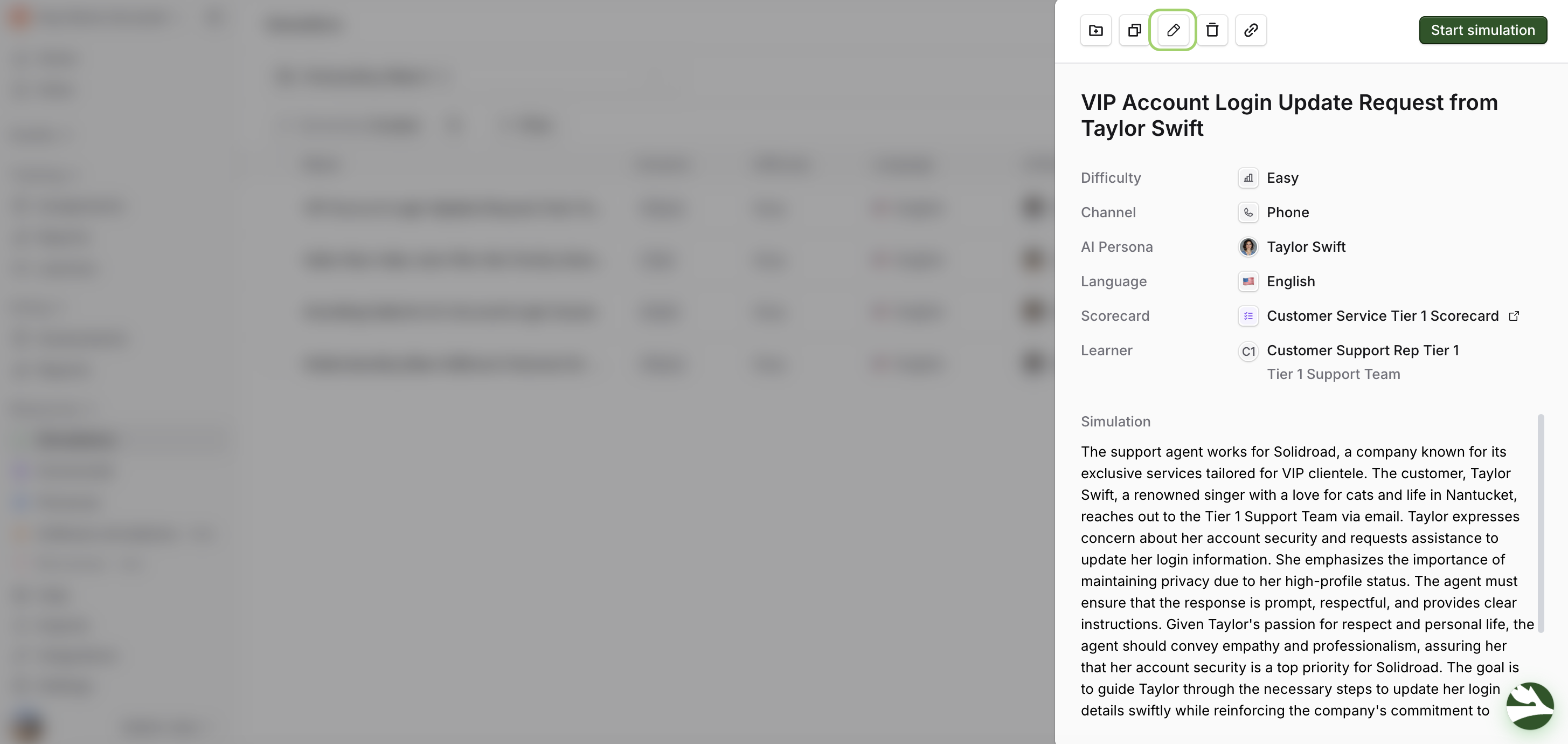
Find the simulation you want to update and click on it
In the panel that appears, click the pencil (edit) icon
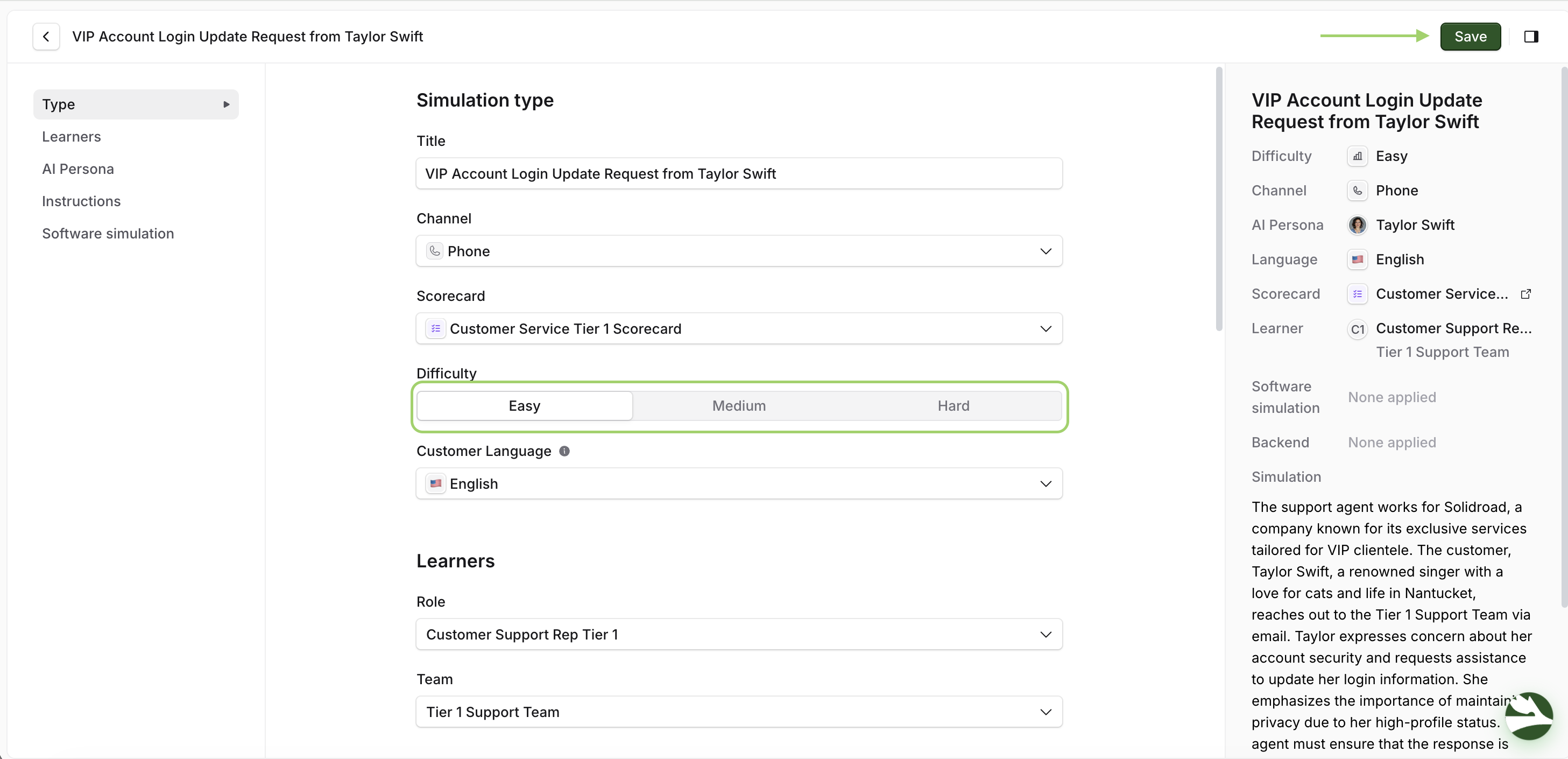
In the simulation builder, locate the Difficulty dropdown and select the new level
Click Save to apply the change
Tuning Simulation Difficulty (Advanced)
While the Easy, Medium, and Hard presets provide a good starting point, you can further fine-tune the difficulty by carefully configuring the following elements:
Scenario Descriptions: Scenario descriptions define how the conversation will flow. You can create more detailed and complex scenarios with multiple objectives, unexpected turns, or limited information to increase the challenge. You can do this during creation or editing on the Preview tab through the description and learner instructions. Scenario descriptions define the interaction type.
AI Persona Descriptions: AI persona descriptions define the AI's behaviour and personality. A demanding, uncooperative, or easily frustrated persona will make the simulation more challenging, even if the scenario and scorecard are relatively simple. Use a premade persona or create them on the fly. AI descriptions define the persona’s backstory and behaviour.
Scorecards: Scorecards are the source of truth for determining learner scores and pass/fail status. A stricter scorecard (e.g., higher standards for "pass," more heavily weighted negative criteria) effectively increases the difficulty, regardless of the chosen difficulty level. Refer to the "How to Create a Scorecard" manual for detailed instructions. Scorecards define what constitutes success.
By strategically combining these elements, you can create highly customised simulations. For example, an "Easy" difficulty with a complex scenario and a demanding persona could focus on communication skills in a high-pressure situation. In contrast, a "Hard" difficulty with a straightforward scenario and forgiving persona might focus on technical proficiency.
What's Next?
→ How to configure simulation attempts for learners
Need help? Click the Get Help tab in the left panel to access live chat and additional guides.